Upgraded ATMs
Experience an easier way to bank using First Citizens upgraded ATMs!
Upgraded ATMs
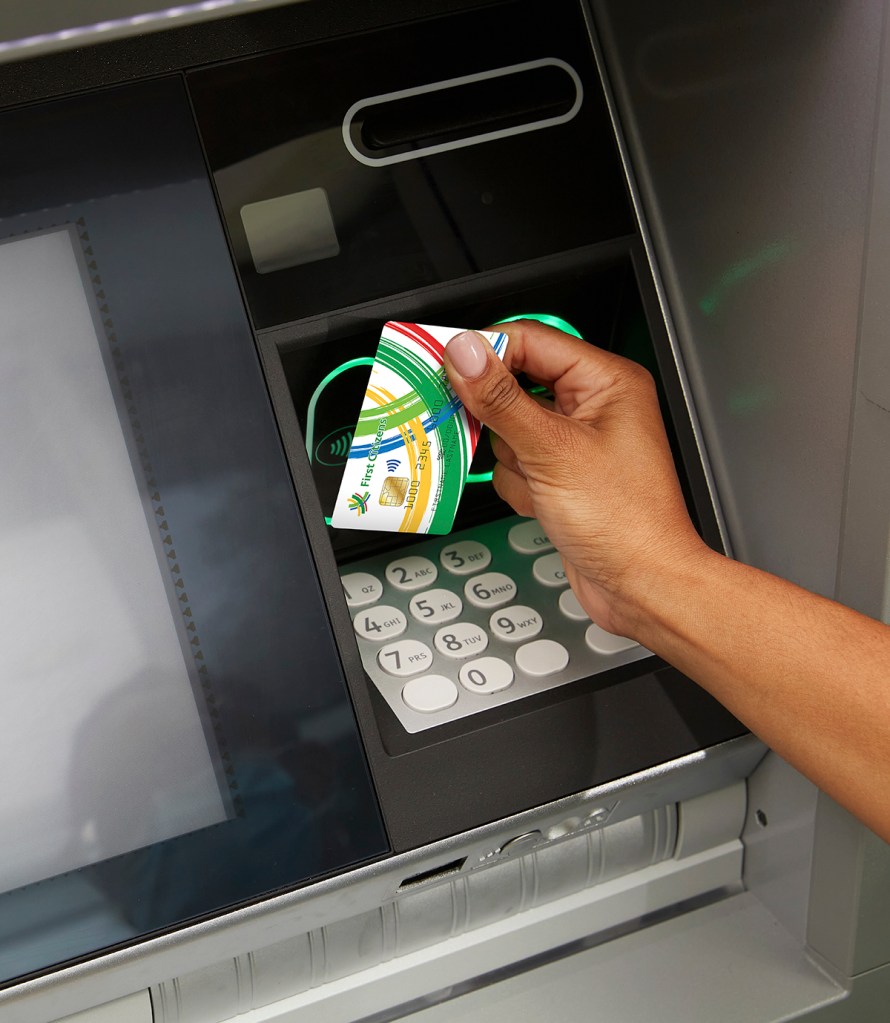
Our upgraded ATMs offer you the added convenience and security to bank even easier using our easy deposit and contactless features. If you do not wish to insert your Card, you can simply tap your contactless enabled Debit or Credit Card over the contactless symbol to begin your transaction.
Enjoy access at any of our ATM locations. Deposit cash or cheques easily at our Branch and non-Branch ATMs (Carlton Supermarket and Coverley Lending Centre).
Conduct any of the following transactions:
Check your account balance(s), this includes Savings and Chequing

Withdraw cash up to three thousand dollars (BBD 3K) daily
Deposit cash or cheques easily at our ATMs (No envelopes required)

Transfer funds between your accounts
Frequently Asked Questions (FAQs)
Q1: How can I make a deposit to my Savings or Chequing account?
You can make a cash or cheque deposit to your Savings or Chequing accounts using the steps outlined below:
1. Insert your Debit Card into the ATM card reader or tap your card over the contactless icon to begin your transaction.
2. Input your ATM PIN
Using the ATM screen:
3.Select the Deposit option
4. Select Cash or Cheque deposit (NO ENVELOPES REQUIRED)
| Cash | Cheque |
|---|---|
| Select the account type: “Savings Account or Current Account” | Select the account type: “Savings Account or Current Account” |
| Select “BB Dollar” | A prompt message will appear on the ATM screen to insert the cheque(s). Please note, cheques must be signed and an account number indicated at the back of the cheque(s) before depositing |
| A prompt message will appear on the ATM screen to insert your notes | On the top left corner of the ATM screen, insert the cheque(s) horizontally into the depository |
| At the bottom left corner of the screen, insert the notes horizontally into the depository (50 notes are accepted per transaction) | Input the total value of the cheque(s) deposited and select “Ready” to process the transaction |
| Select “Do Transaction Deposit” to confirm the transaction or select the option to insert additional notes | A receipt will be dispensed and Debit Card returned |
| Once the transaction is successfully completed, a receipt will be dispensed and Debit Card returned |
Q2: How can I make a payment to my Credit Card using the ATM?
You can make a payment to your Credit Card account using the steps outlined below:
- Insert your Credit Card into the ATM card reader or tap your card over the contactless icon to initiate the transaction
- Input your Credit Card PIN
Using the ATM screen:
Select the “Payment by Cash or Cheque” option (NO ENVELOPES REQUIRED)
| Cash | Cheque |
|---|---|
| Select “BB Dollar” | A prompt message will appear on the ATM screen to insert the cheque(s). Please note, cheques must be signed at the back before depositing |
| A prompt message will appear on the ATM screen to insert the notes | On the top left corner of the ATM screen, insert the cheque(s) horizontally into the depository |
| At the bottom left corner of the screen, insert the notes horizontally into the depository (50 notes are accepted per transaction) | Input the total value of the cheque(s) deposited and select “ Ready” to process the transaction |
| Select “Do Transaction Deposit” to confirm the transaction or select the option to input additional notes | A receipt will be dispensed and Credit Card returned |
| Once the transaction is successfully completed, a receipt will be dispensed and Credit Card returned |
Q3: How soon after I deposit cash or a cheque, can I access the funds?
All cash deposits to a Savings or Chequing account are available in one (1) business day using a First Citizens ATM. In the case of First Citizens cheque deposits, funds are available in one (1) business day. For non-First Citizens cheque deposits, funds are available in two (2) business days.
For Credit Cards, all cash deposits made before 6:00 p.m. are available in one (1) business day. In the case of First Citizens cheque deposits, funds are available in two (2) business days. For non-First Citizens cheque deposits, funds are available in two (2) business days.
Q4: What is the maximum amount of cash can I deposit?
You can deposit a maximum of fifty (50) notes per deposit transaction.
Q5: If my Debit Card or Credit Card is captured by the ATM, what should I do?
Customers are required to contact First Citizens to report a card lost or stolen and visit any conveniently located First Citizens Branch to request a new card. To report a lost or stolen card, you can:
- Send a Secure Message via Online Banking or
- Call 431-4577 to speak with a customer service representative to make a report
Safety Tips when using the ATM
- Memorise your ATM PIN
- Never disclose your ATM PIN to anyone, including First Citizens Bank staff
- Change your ATM PIN if you suspect it has been compromised
- While using the ATM, protect your ATM PIN and transaction. Position yourself to block the screen and keypad
- Stay alert and be aware of your surroundings
- Before leaving the ATM room, secure and put away your cash and Card
- If your Card is lost or stolen, report it immediately to First Citizens
